

Short answer: to run Apache Superset on your laptop, clone the Superset repo, check out a release tag, and start it with Docker Compose:
git clone https://github.com/apache/superset
cd superset
git checkout tags/6.1.0
docker compose -f docker-compose-image-tag.yml up
Then open http://localhost:8088 and log in with admin / admin.
Apache Superset is a free, open-source data exploration and dashboard tool, licensed under Apache 2.0. It connects to most SQL databases and warehouses, and lets you build charts and dashboards without writing code. It also has a full SQL editor for analysts.
What changed since the original post (2023): the original guide used Superset 2.1, the
docker-compose-non-dev.ymlfile and the olddocker-composecommand. Current Superset (6.x) usesdocker-compose-image-tag.ymland the newerdocker composecommand (with a space).
What do you need before you start?
- A laptop with at least 8 GB of RAM.
- Docker Desktop, installed and running. It includes Docker Compose. Download it from docker.com.
- Git, to clone the repo.
Step 1: Clone the Superset repo
git clone https://github.com/apache/superset
cd superset
Step 2: Pick a stable release
git checkout tags/6.1.0
Always use a release tag rather than the master branch. Tags are tested releases, while master changes every day. 6.1.0 was the latest release when we wrote this. Check the Superset releases page for newer ones.
Step 3: Start Superset
docker compose -f docker-compose-image-tag.yml up
This downloads the pre-built Superset images for that release and starts every service Superset needs. The first run takes a few minutes. To check that the containers are up, run docker ps in another terminal.
Step 4: Log in and explore
Open http://localhost:8088 and log in with username admin and password admin.
Superset comes with example dashboards and sample data, so you can start exploring charts right away.
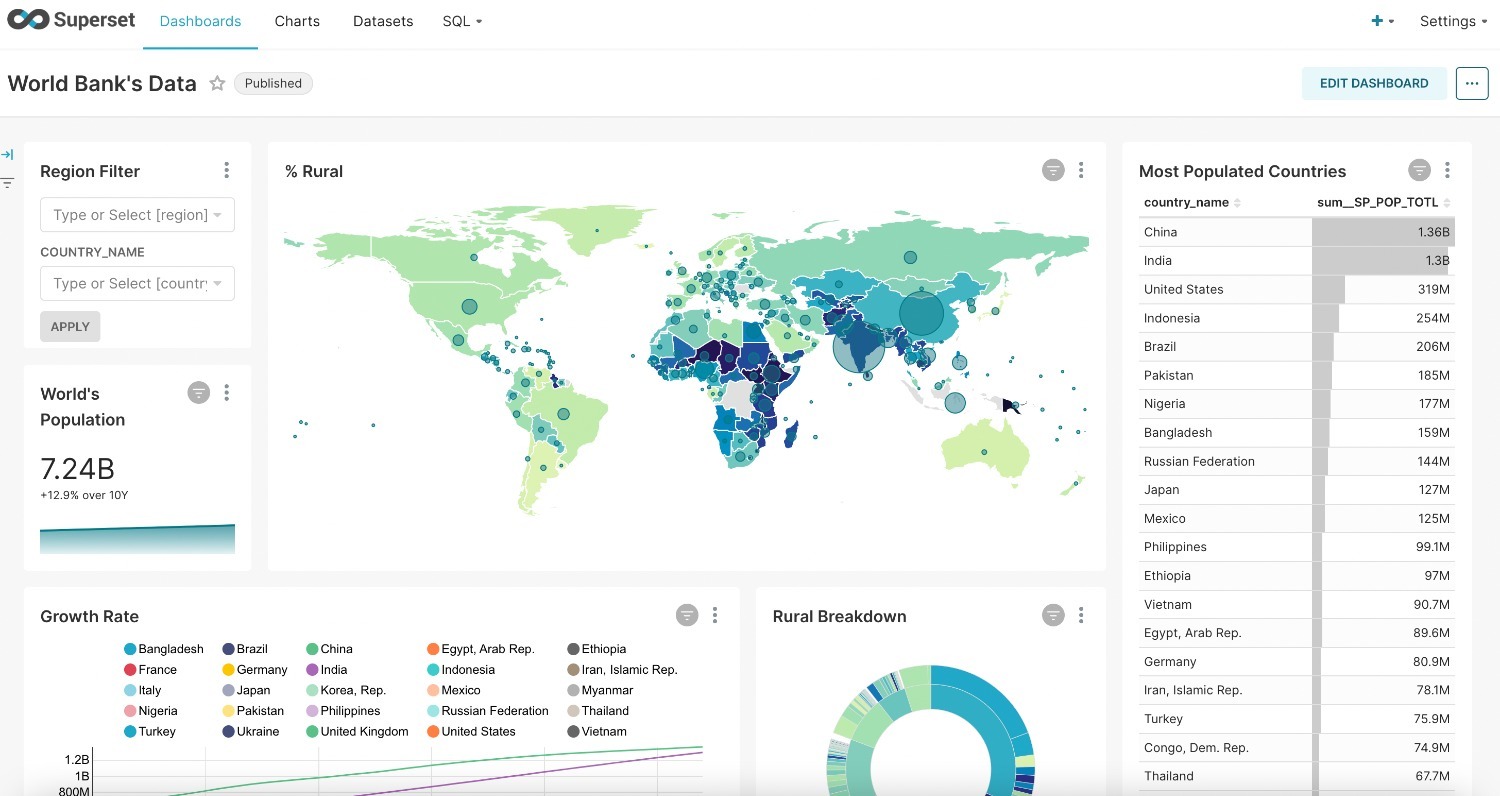 Apache Superset example dashboard with World Bank data
How do you stop Superset?
Press Ctrl + C in the terminal where it's running, or run:
docker compose down
Is this setup OK for production?
No. The Docker Compose setup is meant for trying Superset out and for development. For production, the Superset team recommends deploying on Kubernetes with their Helm chart, with a proper database, secret key and login setup.
FAQ
What is the default Apache Superset login?
In this local Docker setup, the username is admin and the password is admin. Change them before you share the instance with anyone.
What port does Superset use?
Port 8088, so the address is http://localhost:8088.
Is Apache Superset free? Yes. It's open source under the Apache 2.0 license.
Why do I get "docker-compose: command not found"?
Newer Docker versions use docker compose (with a space) instead of docker-compose. Use the commands exactly as written above.
What to try next
Superset is the dashboard layer of a modern data stack. Our other 5-minute guides cover the rest:
- Setup Airbyte in 5 minutes, to load data from your apps and databases
- Setup dbt Core on your machine in 5 minutes or less, to clean and model that data
- Modern Data Stack on your laptop, to see how it all fits together
Want help building dashboards your team will actually use? Talk to Newtuple.