
Short answer: on a Mac, run brew install duckdb, then type duckdb to start it. Run SELECT * FROM 'your_file.csv'; to query a CSV file straight away. There's no server to run, nothing else to install, and no data to load first.
DuckDB is a free, open-source database that runs inside a single program on your laptop. It's built for analysis: it reads CSV, Parquet and JSON files directly and runs SQL on millions of rows in seconds. Think of it as SQLite for analytics.
 DuckDB logo
What changed since the original post (2023): DuckDB is now on version 1.5, with a long-term support (LTS) release, 1.4. It also has official install options for Linux and Windows, and a built-in web UI you can open with
duckdb -ui.
Step 1: Install DuckDB
On a Mac (Homebrew):
brew install duckdb
On Linux:
curl https://install.duckdb.org | bash
On Windows:
winget install DuckDB.cli
You can also download the program directly from the DuckDB install page.
Step 2: Check that it installed
duckdb --version
You should see a version number. It was 1.5.5 at the time of writing.
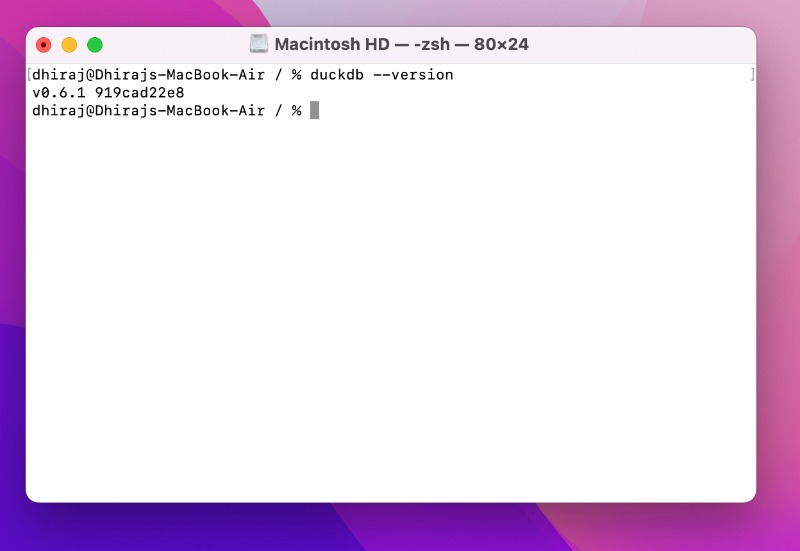 Terminal showing the output of duckdb --version
This screenshot is from the original 2023 post. Your version number will be newer.
Terminal showing the output of duckdb --version
This screenshot is from the original 2023 post. Your version number will be newer.
Step 3: Start DuckDB
In your terminal, go to a folder that has the CSV or Parquet files you want to analyse, then run:
duckdb
That's it: DuckDB is running. By default, it keeps everything in memory, so nothing is saved when you close it. To keep your tables between sessions, start it with a file name instead:
duckdb my_analysis.duckdb
Step 4: Run your first SQL query on a CSV file
Say your file is called input.csv. Put the file name in single quotes and query it like a table:
SELECT * FROM 'input.csv' LIMIT 10;
DuckDB detects the columns, data types and separator on its own. The same works for Parquet files:
SELECT * FROM 'sales.parquet' LIMIT 10;
To turn a file into a proper table you can query again later:
CREATE TABLE orders AS SELECT * FROM 'input.csv';
Step 5 (optional): Use the built-in DuckDB UI
If you'd rather click than type, DuckDB has a notebook-style web interface:
duckdb -ui
It opens in your browser at http://localhost:4213.
Handy DuckDB commands
These "dot commands" work inside the DuckDB prompt:
.helplists every command.tablesshows the tables in your current database.open my_analysis.duckdbopens (or creates) a saved database file.exitquits DuckDB (so does Ctrl + D)
FAQ
Is DuckDB free? Yes. DuckDB is open source under the MIT license, and free for personal and commercial use.
Do I need to load data before querying it?
No. DuckDB can query CSV, Parquet and JSON files where they are. You only need CREATE TABLE if you want to keep a copy inside a DuckDB database.
What's the difference between DuckDB and SQLite? Both run inside a single program with no server. SQLite is built for apps that read and write lots of small records. DuckDB is built for analysis: scanning and summarising large amounts of data quickly.
Why do I get an error when I query a CSV file?
File names need single quotes: SELECT * FROM 'input.csv';. Without the quotes, DuckDB looks for a table called input.csv.
What to try next
DuckDB is a great local engine for a modern data stack. Our other 5-minute guides cover the rest:
- Setup Airbyte in 5 minutes, to load data from your apps and databases
- Setup dbt Core on your machine in 5 minutes or less, to transform your data with SQL models
- Setup Apache Superset in 5 minutes, to build dashboards on top
- Modern Data Stack on your laptop, to see how it all fits together
Want help building a fast, low-cost analytics setup? Talk to Newtuple.